
Search Docs by Keyword
Mathematica
Description
Mathematica is a powerful computational software system that provides a comprehensive environment for technical computing. Developed by Wolfram Research, it offers a wide range of capabilities spanning symbolic and numerical computation, visualization, and programming. Mathematica’s symbolic engine allows for the manipulation of mathematical expressions, equations, and functions, making it particularly useful for tasks such as calculus, algebra, and symbolic integration. Its vast library of built-in functions covers various areas of mathematics, science, and engineering, enabling users to tackle diverse problems efficiently. Moreover, Mathematica’s interactive interface and high-level programming language facilitate the creation of custom algorithms and applications, making it an indispensable tool for researchers, educators, and professionals in countless fields.
Mathematica is available on FASRC clusters as software modules. To find the following modules/versions available, run module spider mathematica:
[jharvard@holylogin08 ~]$ module spider mathematica

-----------------------------------------------------------------------------------------------
mathematica:
-----------------------------------------------------------------------------------------------
Description:
Mathematica is a computational software program used in many scientific, engineering,
mathematical and computing fields, based on symbolic mathematics

Versions:
mathematica/12.1.1-fasrc01
mathematica/13.3.0-fasrc01

-----------------------------------------------------------------------------------------------
For detailed information about a specific "mathematica" package (including how to load the modules) use the module's full name.
Note that names that have a trailing (E) are extensions provided by other modules.
For example:

$ module spider mathematica/13.3.0-fasrc01
-----------------------------------------------------------------------------------------------
Usage: Command line
Interactive
This example shows how to allocate an interactive job, load the Mathematica module, load Mathematica and run Mathematica commands
# request 1h job with 1 core and 4GB of memory on the test partition
[jharvard@holylogin08 ~]$ salloc --partition test --time 01:00:00 -c 1 --mem 4g

# load module
[jharvard@holy8a26602 ~]$ module load mathematica

# launch mathematica, perform calculation, and exit
[jharvard@holy8a26602 ~]$ math
Mathematica 13.3.0 Kernel for Linux x86 (64-bit)
Copyright 1988-2023 Wolfram Research, Inc.

In[1]:= Factor[x^2 + 2 x + 1]

2
Out[1]= (1 + x)

In[2]:= Exit[]
Batch job
This example shows how to run a slurm batch job, by submitting run.sbatch which runs the Mathematica my_mathematica_script.m script.
Script run.sbatch:
#!/bin/bash
#SBATCH -J math_job      # job name
#SBATCH -o math.out      # standard output file
#SBATCH -e math.err      # standard errorfile
#SBATCH -p test          # slurm partition
#SBATCH -c 1             # number of cores
#SBATCH -t 0-00:30       # time in D-HH:MM
#SBATCH --mem=4g         # memory per node

# Load required software modules
module load mathematica
srun -c $SLURM_CPUS_PER_TASK math -script my_mathematica_script.m
Submit the job:
sbatch run.sbatch
Usage: Interactive GUI via Open OnDemand
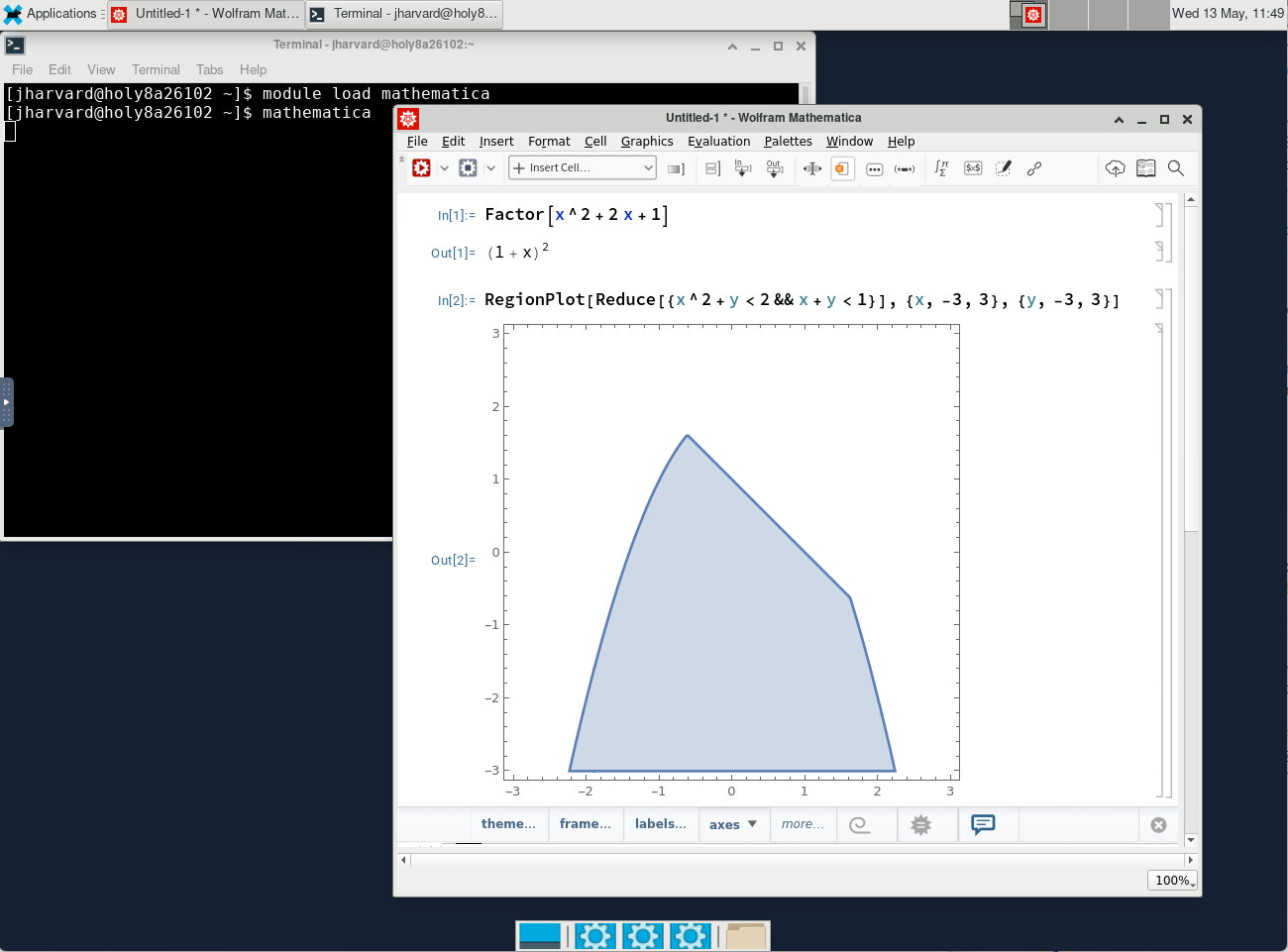
For step-by-step instructions, follow the sections (1) Introduction and (2) Mathematica in the Open OnDemand (OOD/VDI) Remote Desktop: How to open software documentation.
Note: You must be connected to the FASRC VPN to access Open OnDemand.
Mathematica on the OOD Remote Desktop
Examples
See examples on FASRC’s Users Code repository.